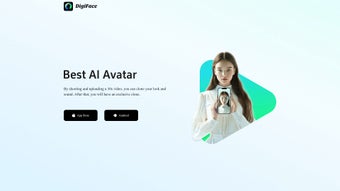

Download Digiface – AI Digital Twin Creator, Secure & Easy
What Is Digiface and Why It Matters
Digiface is an innovative AI‑driven tool that lets anyone generate a convincing digital twin of their own appearance and voice with just a short video upload. In an era where remote work, virtual events, and online content creation are exploding, having a reliable, lifelike avatar can dramatically increase your reach and professionalism. By simply recording a 30‑second clip in a well‑lit environment, Digiface’s proprietary algorithms analyze facial geometry, skin texture, eye movement, and vocal cadence to produce a high‑fidelity digital replica.
This avatar can then be exported for use in presentations, video‑conferencing, gaming, or personal entertainment. The platform prides itself on a user‑friendly interface, fast processing times, and a strong emphasis on privacy—your raw video never leaves the secure cloud environment without your explicit consent. Whether you’re a marketer needing a brand‑consistent spokesperson, an educator looking for a virtual lecturer, or a content creator craving a unique on‑screen persona, Digiface provides a practical, affordable entry point into the world of digital identity.
Key Features That Set Digiface Apart
- One‑Click Avatar Generation: Upload a 30‑second video and receive a fully animated digital twin within minutes.
- Voice Cloning Accuracy: Advanced speech synthesis captures tone, pitch, and rhythm for natural‑sounding speech output.
- High‑Resolution Facial Mapping: AI models detect micro‑expressions, ensuring the avatar mirrors subtle human gestures.
- Cross‑Platform Export: Export avatars in formats compatible with Windows, macOS, Android, and iOS applications.
- Secure Cloud Processing: End‑to‑end encryption protects uploaded videos; no data is stored after processing unless you choose to save.
- Customizable Animation Library: Choose from a library of pre‑built gestures, lip‑sync options, and background scenes.
- API Access for Developers: Integrate Digiface’s cloning engine into your own software solutions via RESTful API.
- Frequent Updates: Monthly model improvements keep the avatar quality on par with the latest AI research.
While Digiface offers a robust suite of tools, it is designed with simplicity in mind. You do not need to master 3D modeling or audio engineering—everything is automated behind an intuitive dashboard. The platform also includes built‑in quality checks that alert you if the source video is too dark, blurry, or has excessive background noise, ensuring the final avatar meets professional standards. For users who demand more control, the API endpoint provides granular parameters such as facial expression intensity and speech speed, allowing developers to tailor the avatar behavior for specific use cases.
Installation, Usage Instructions, and Compatibility
Getting Started in Three Easy Steps
- Create a Free Account: Visit the Digiface website, click “Sign Up,” and verify your email. A free tier grants up to three avatar creations per month.
- Record and Upload Your Video: Use any smartphone or webcam to record a 30‑second video. Ensure the background is plain, lighting is even, and your face occupies the center of the frame. Drag‑and‑drop the file into the upload portal or select it via the “Choose File” button.
- Download Your Avatar: After processing (typically 2‑5 minutes), preview the avatar in the web player. If satisfied, click “Download” to receive a .zip package containing 3D model files, animation clips, and a ready‑to‑use audio file.
System Requirements and Supported Operating Systems
Digiface is a cloud‑based service, meaning the heavy AI computations happen on remote servers. As a result, the only client‑side requirements are a modern web browser (Chrome, Firefox, Edge, or Safari) and a stable internet connection. The exported avatars are compatible with:
- Windows 10/11 (DirectX 11 or higher)
- macOS Catalina or later (Metal support)
- Android 8.0+ (OpenGL ES 3.0)
- iOS 13+ (Metal‑compatible apps)
For developers, the API returns assets in standard formats such as FBX, GLB, and WAV, ensuring seamless integration with Unity, Unreal Engine, or any custom rendering pipeline. The platform also supplies a lightweight SDK for iOS and Android, enabling on‑device preview without re‑uploading the source video.
Pros, Cons, and Frequently Asked Questions
Pros
- Fast avatar generation—typically under five minutes.
- High‑quality facial and voice cloning that feels natural.
- Simple, web‑based workflow—no heavy software installation.
- Strong privacy controls and end‑to‑end encryption.
- Cross‑platform export options for both desktop and mobile.
Cons
- Only one avatar can be created per uploaded video; batch processing is not yet supported.
- No real‑time editing; modifications require a new upload.
- Free tier limits the number of monthly creations.
- Quality heavily depends on the source video’s lighting and audio clarity.
Frequently Asked Questions
How secure is my video data?
Digiface uses TLS 1.3 encryption for all uploads and processes videos in isolated containers. The raw video is automatically deleted after the avatar is generated unless you explicitly choose to store it in your account.
Can I customize the avatar after it’s generated?
Basic customization—such as selecting different background scenes or adjusting lip‑sync timing—is available through the web dashboard. For deeper edits (e.g., changing facial features), you’ll need to use a 3D editing tool with the exported model.
Is there a limit on the video length?
The optimal length is 30 seconds. Longer videos are accepted but only the first 30 seconds are processed, which helps keep the generation time short.
Final Thoughts and How to Get Digiface Today
Digiface bridges the gap between cutting‑edge AI technology and everyday usability. By turning a simple video into a fully animated digital twin, it empowers professionals, educators, and creators to maintain a presence in virtual environments without the logistical overhead of live filming. Although it currently supports only a single avatar per upload and lacks real‑time tweaking, the trade‑off is a remarkably fast and secure workflow that delivers high‑quality results. If you’re looking to experiment with a digital persona, elevate your remote presentations, or integrate AI avatars into a larger product, Digiface offers a compelling, low‑cost entry point.
Ready to clone your own likeness? Download Digiface now and start creating your personalized avatar today. The free tier lets you test the service with three avatars, and premium plans unlock unlimited creations, priority processing, and API access. Embrace the future of digital identity—secure, fast, and remarkably human.



.png)



